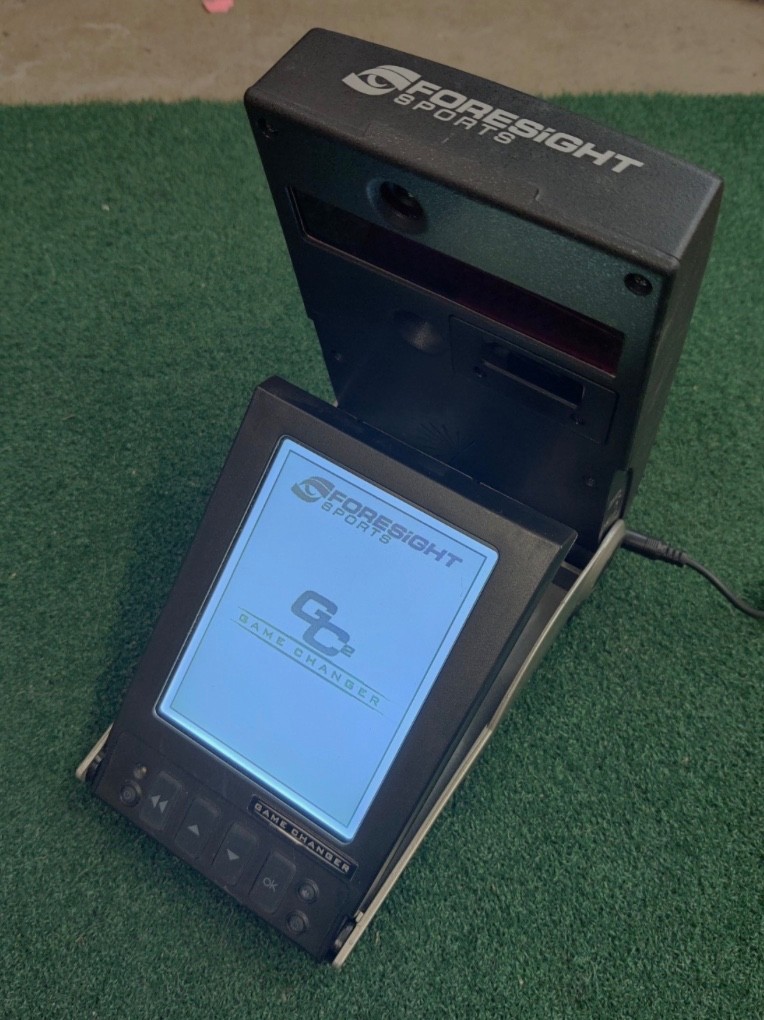

Photos from current listings. Actual item, color, and included accessories may vary.
Launch Monitor Buying Guide
A launch monitor is a radar or camera-based device that measures ball speed, launch angle, spin, and club data to simulate shot outcomes. The decisive trade-off is measurement fidelity versus portability and price: photometric systems need marked balls and a hitting bay, while radar units track full flight but demand depth. Buy a camera system for indoor accuracy and radar for outdoor ball-flight tracking; anything without club data is a practice tool, not a fitting tool.


At a glance
- Category
- Golf Rangefinders & Launch Monitors
- Data updated
- Nov 16, 2026
Current offers
Highlights
- Photometric (camera) monitors like Foresight GC2/GCQuad measure ball speed, launch, and spin in the first few feet; they require marked balls and a mat-to-screen distance of 8-10 ft.
- Radar monitors (Trackman, FlightScope, Garmin R10/R50) time the ball over several feet, so they need 8-10 ft behind the ball and 10-15 ft of ball flight for accurate spin and carry.
- Ball data (speed, launch, spin) is sufficient for practice; club data (path, face angle, attack angle) is what separates fitting-grade units from entry-level models.
- Direct-drive or dual-radar architectures deliver full-flight tracking; single-radar budget units estimate spin and carry and lose accuracy below roughly 30 yards of flight.
Best use cases
- Best fit: indoor simulator build with 10-ft screen distance — pick a photometric camera unit like GC2 for precise ball and club data and integrate with simulation software.
- Best fit: outdoor range practice with 15+ ft of flight — choose a radar unit (Trackman, FlightScope) for full ball-flight tracking across all clubs, including driver.
- Wrong fit: a cheap single-radar unit for indoor net practice under 8 ft — it cannot measure spin or carry accurately at short distance; use a camera-based or short-throw radar instead.
- Wrong fit: buying a ball-only unit for club fitting — skip anything without club path/face data and step up to a fitting-grade radar or camera system.
Buying tips
- Measure your bay: camera units need 8-10 ft from ball to screen; radar units need 8-10 ft behind the golfer plus 10-15 ft of flight — pick the architecture that fits your space before anything else.
- Check ball marking: photometric systems require marked or metallic-dot balls for spin; radar systems work with any ball but need sufficient flight distance for spin estimation.
- Club data tier: entry units report ball speed, launch, and estimated carry; mid-tier adds spin; fitting-grade adds club path, face angle, and attack angle — match the tier to whether you practice or fit.
- Software compatibility: confirm the unit supports third-party simulation (E6, GSPro, TGC) and includes the required license; some units ship with license-only software that locks you to one platform.
Specs
| Technology | Photometric camera vs Doppler radar |
|---|---|
| Data Tier | Ball-only vs ball + club data |
| Space Requirement | 8-10 ft (camera) / 18-25 ft (radar) |
| Ball Marking | Marked balls (camera) / any ball (radar) |
Related searches
What to check before buying
- Ceiling height: at least 9-10 ft for full-swing indoor use; shorter ceilings force reduced-flight or wedge-only practice.
- Bay dimensions: 8-10 ft ball-to-screen for camera units; 18-25 ft total depth for radar units including golfer and flight zone.
- Power and connectivity: confirm USB-C or USB-A power, Wi-Fi/Bluetooth for app sync, and whether the unit needs a PC or runs standalone.
- Hitting surface: a quality mat and net/screen rated for ball speed are required companions; a launch monitor without a proper bay is incomplete.
FAQ
Data sources: eBay / Amazon listings and product attribute feeds Data updated Nov 16, 2026.
Some links on this page are affiliate links. If you buy after clicking one, we may earn a commission at no extra cost to you. This does not change which products appear here or their order. Affiliate disclosure.