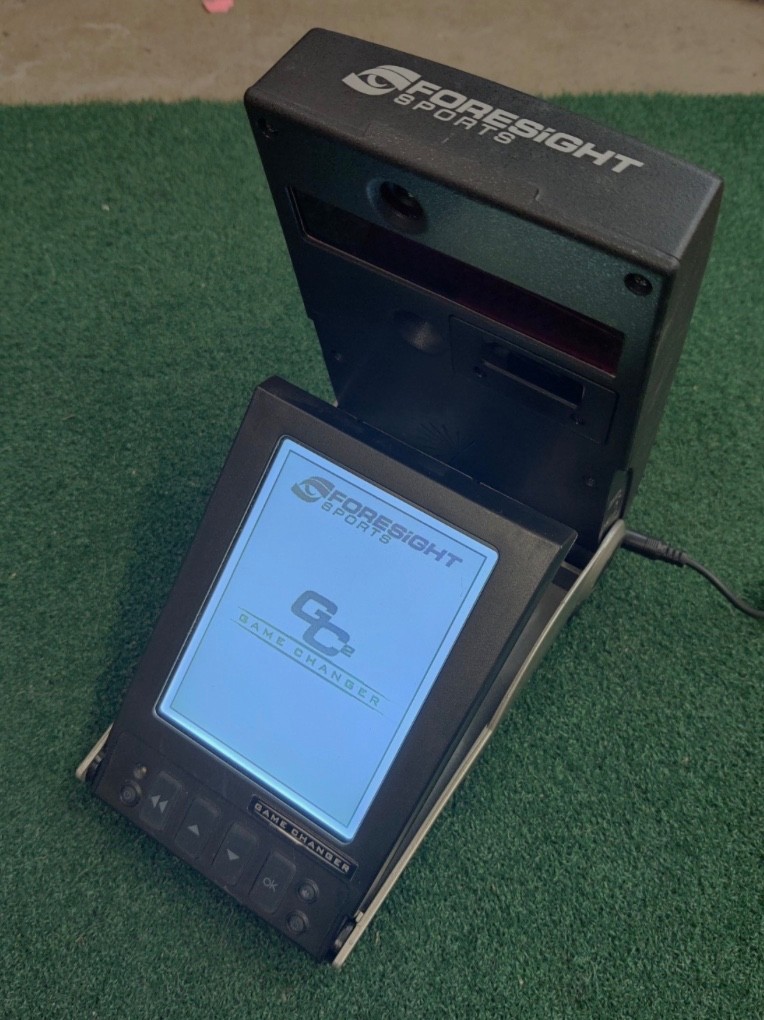

Photos from current listings. Actual item, color, and included accessories may vary.
Foresight Sport Launch Monitor Buying Guide
Foresight Sports launch monitors are professional-grade ball-flight and club-data systems used for fitting, coaching, and indoor simulation. The core trade-off is radar versus camera-based photometric tracking: camera systems like GC2/GCQuad deliver precise ball speed, launch angle, and spin indoors, while radar units (GC3, QuadMAX) add club data and outdoor portability. The decision rule is simple: buy a camera-based Foresight only if you have a controlled indoor bay and a software license budget; for outdoor range use or club-data without a marked ball, step up to the GC3/QuadMAX tier.


At a glance
- Category
- Golf Rangefinders & Launch Monitors
- Data updated
- Nov 16, 2026
Current offers
Highlights
- GC2 uses twin high-speed cameras to measure ball speed, launch angle, azimuth, and spin; it does not measure clubhead data unless paired with HMT (Head Measurement Technology).
- GCQuad adds four cameras and a built-in display, capturing off-center hits and clubhead delivery without add-on modules—the primary step-up over GC2.
- GC3 and QuadMAX are radar-assisted hybrid units designed for both indoor and outdoor use, with onboard simulation and no mandatory PC tether.
- All Foresight units require a software license (FSX Play/FSX 2020 or third-party like E6/TGC) to render simulation; the hardware alone only outputs raw data.
Best use cases
- Best fit: indoor fitting studios and coaching bays pick GCQuad for four-camera club and ball data with a fixed bay and licensed simulation PC.
- Best fit: outdoor range work and portable practice pick GC3 or QuadMAX for radar tracking without a marked ball or fixed camera rig.
- Wrong fit: casual backyard golfers on a tight budget should skip Foresight entirely—subscription licenses and camera calibration demand a dedicated bay.
- Wrong fit: buyers wanting club path and face angle on a GC2 must budget for the HMT add-on; without it, GC2 is ball-data only.
Buying tips
- Confirm the unit includes a transferable software license; a GC2 hardware-only sale requires a separate FSX or third-party license purchase.
- Match the unit to your space: camera-based GC2/GCQuad need 8–10 ft of ball flight and consistent indoor lighting; radar GC3/QuadMAX need 10+ ft and clear RF interference.
- Check the firmware generation and whether the unit is unlocked for third-party simulation (E6, TGC) versus Foresight-only FSX licensing.
- For club data, budget for HMT on GC2 or choose GCQuad/QuadMAX, which capture clubhead speed, path, and face angle natively.
Specs
| Tracking Type | Camera (GC2/GCQuad) vs Radar (GC3/QuadMAX) |
|---|---|
| Club Data | HMT add-on (GC2) / Native (GCQuad, QuadMAX) |
| Simulation License | FSX Play/FSX 2020 or 3rd-party required |
| Space Requirement | 8-10 ft camera / 10+ ft radar flight |
Related searches
What to check before buying
- Measure your bay: at least 8–10 ft from unit to screen and 6–8 ft behind the ball for camera units; radar needs 10+ ft of flight.
- Verify lighting: camera units require consistent, flicker-free indoor lighting; avoid direct sunlight or mixed color temperature.
- Confirm PC or tablet spec: FSX Play needs a dedicated GPU (GTX 1060-class or better) and Windows 10/11 for simulation.
- Check power: Foresight units ship with region-specific power adapters; confirm 100–240V compatibility and plug type for your country.
FAQ
Data sources: eBay / Amazon listings and product attribute feeds Data updated Nov 16, 2026.
Some links on this page are affiliate links. If you buy after clicking one, we may earn a commission at no extra cost to you. This does not change which products appear here or their order. Affiliate disclosure.